Chapter 4: Troubleshooting
This chapter explains what to do if a problem occurs with the ASF1-30.
4.1 If the media is jammed
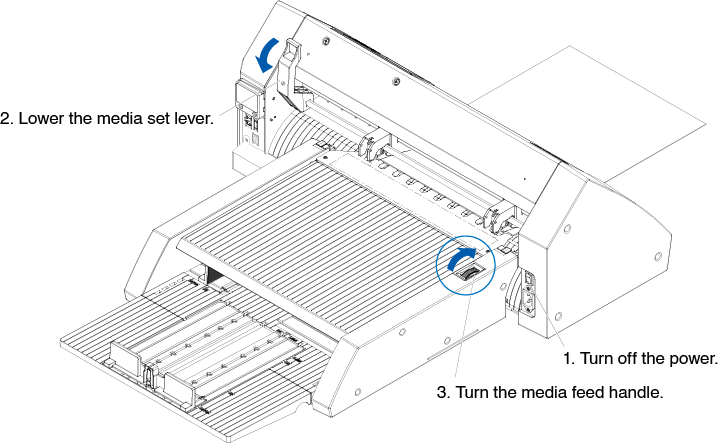
If the media cannot be fed and stops midway due to some reason, follow the procedure below to eject the media.
When media feed stops in ASF1-30
1. Turn off the power to the CE8000-40.
2. Lower the media set lever of the CE8000-40.
3. Turn the media feed handle in the direction of the arrow to eject the media.
4. If the ejected media is torn, check that all of the media has been ejected.
If any pieces of media remain inside, it may cause feeding problems or jams.

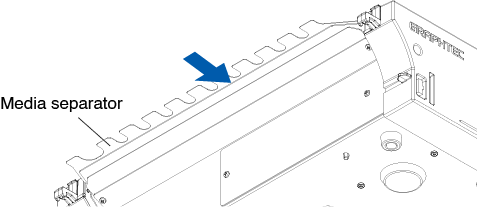
If pieces of media remain inside the ASF1-30, remove it from the CE8000-40 and use tweezers or similar to remove the media from the gap below the media separator.
When removing the media, be careful not to deform the media separator.
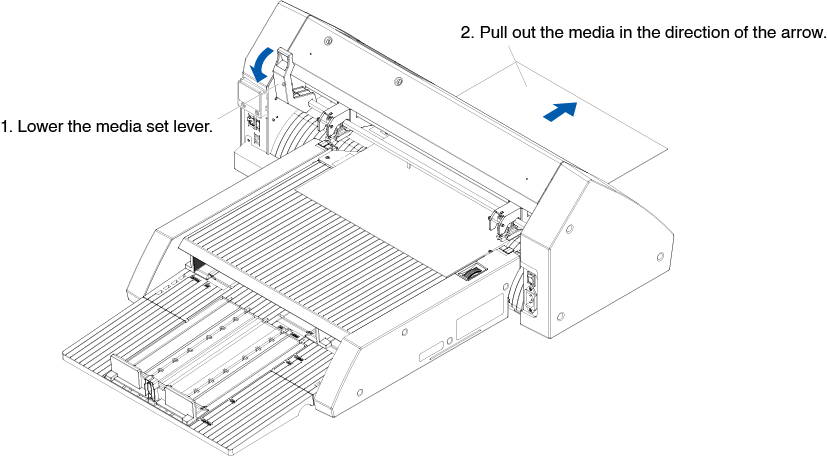
If media remains in the CE8000-40
1. Lower the media set lever of the CE8000-40.
2. Pull out the media in the direction of the arrow.
4.2 When media cannot be fed properly
If the media is not fed properly, please check that the media you are using is compatible.
(For compatible media, refer to "2.1 Media Preparation".)
Also, make sure that there is nothing stuck under the extension tray.
If the media still does not feed properly, clean the feed rollers with alcohol (95% or more).
1. Open the cover until it locks into place.
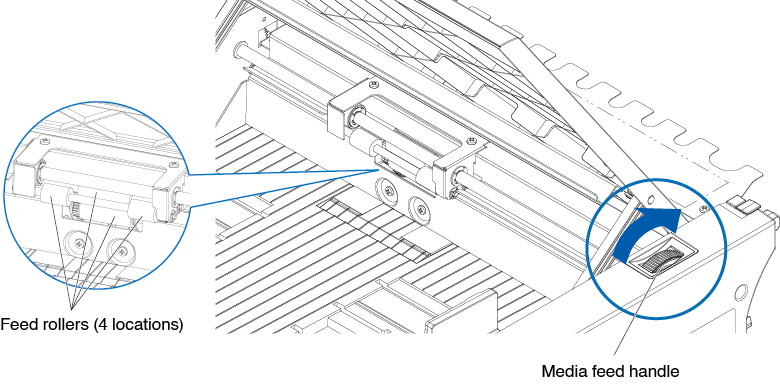
2. Clean the feed rollers by lightly pressing a soft cloth soaked in alcohol (95% or more) against the feed rollers.
When rotating the rollers, turn the media handle.
Be careful not to leave any fabric or other fibers behind.
4.3 Error Messages
For errors other than the following error numbers, refer to the CE8000 Series User's Manual.
|
Error Displayed |
LCD Display |
Cause |
Solution |
|
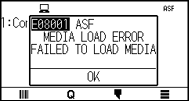
E08001 |
|
The media loaded in ASF1-30 runs out. |
Please check that media is loaded in ASF1-30. Contact your sales representative if the problem still exists. |
|
The media is not loaded correctly in ASF1-30. |
|||
|
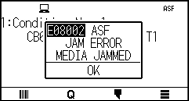
E08002 |
|
The media is jammed while being fed from the ASF1-30. |
Please check that the media is not jammed in ASF1-30. |
|
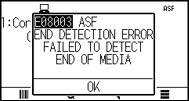
E08003 |
|
Overlapped media was fed from ASF1-30. |
Please fan the media well before loading it in the ASF1-30. |
|
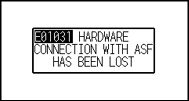
E01031 |
|
The cable connecting the ASF1-30 to the CE8000-40 is not connected correctly. |
Please check that the cable connecting the ASF1-30 to the CE8000-40 is connected correctly. Contact your sales representative if the problem still exists. |